
You've written the perfect caption. Your visual is on point. You hit "post"--then add 30 random hashtags you copied from someone else's comment section. Three hours later: crickets.
Here's the reality: hashtag rules changed in 2024-2026. Instagram now caps posts at five hashtags per post (confirmed by Instagram chief Adam Mosseri). X recommends no more than 2 hashtags. YouTube removes videos with over 60 hashtags. And TikTok's algorithm prioritizes content quality over hashtag stuffing.
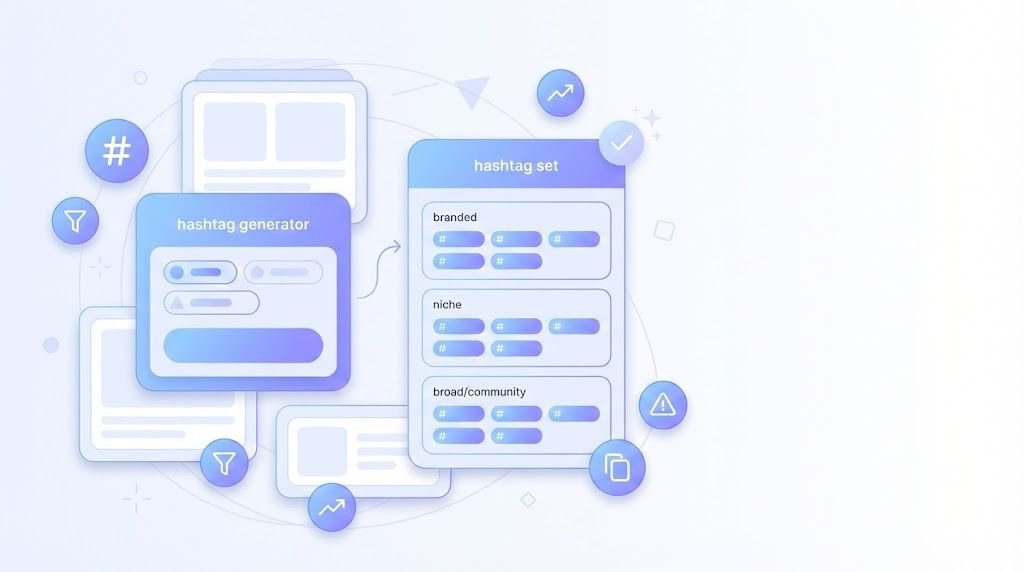
This guide shows you the platform-safe method: a repeatable hashtag mix recipe that works across niches, current platform limits you need to know before posting, and how to use ToolPoint's Hashtag Generator to build smart hashtag sets--not random tag spam.
Ready to stop guessing and start categorizing your content the right way? Let's build a hashtag strategy that actually respects 2026 platform rules.
Platform rules & best practices snapshot
Platform policies have shifted dramatically since 2023. Here's what you need to know before posting in 2026:
Table 1: Platform Hashtag Limits & Safe Ranges
| Platform | What the platform says | Practical "safe range" | Notes |
|---|---|---|---|
| Max 5 hashtags per post | 3-5 hashtags | Instagram chief Adam Mosseri confirmed the 5-hashtag cap; quality over quantity | |
| X (Twitter) | Recommends max 2 hashtags | 1-2 hashtags | X Help Center best practices; engagement drops with more hashtags |
| YouTube | Ignores content with >60 hashtags | 5-10 hashtags in description | Over-tagging may cause removal from uploads/search; keep tags relevant |
| TikTok | No official hard limit | 3-5 hashtags | Prioritize content quality; check TikTok Creative Center for trending tags |
| No strict limit | 1-3 hashtags | Hashtags less effective on Facebook; use sparingly | |
| No strict limit | 3-5 hashtags | Professional context; use industry-specific tags |
Critical reminder: Platform policies evolve constantly. Always verify current hashtag limits in each platform's in-app help center or creator resources before finalizing your posts. What works today might have different rules tomorrow.
Source citations:
Instagram's 5-hashtag cap: Announced by Adam Mosseri (Instagram Chief)
X's 2-hashtag recommendation: X Help Center best practices
YouTube's 60-hashtag limit: YouTube Creator support documentation
The Hashtag Mix Recipe that works across niches
Stop using only broad hashtags like #love or #instagood. They're too saturated. Instead, use a strategic mix that balances discoverability with relevance:
Table 2: The Hashtag Mix Recipe
| Hashtag type | Purpose | How to choose | Examples (generic) |
|---|---|---|---|
| Branded | Build your own community; track campaign content | Your business name, campaign name, or unique phrase | #YourBrandName, #YourCampaign2026, #YourSeriesName |
| Niche (high intent) | Reach specific audience actively searching your topic | Specific, descriptive, 10k-100k post volume | #VeganMealPrep, #SmallBusinessTips, #HomeGymWorkouts |
| Mid-volume (topic cluster) | Balance competition and discoverability | Moderately popular, 100k-500k posts | #FitnessJourney, #ContentCreator, #DigitalMarketing |
| Broad (category) | Add context, minimal competition | High-volume general categories, 1M+ posts | #Fitness, #Business, #Travel |
| Community/series tag | Participate in recurring themes or challenges | Weekly series, platform challenges, niche communities | #MotivationMonday, #ThrowbackThursday, #CreatorEconomy |
The winning formula for Instagram (5-hashtag limit):
- 1 branded hashtag (always)
- 2-3 niche hashtags (high relevance)
- 1 mid-volume hashtag (topic cluster)
- Optional: 1 community tag if relevant
- 1 niche hashtag (most relevant)
- 1 branded or community hashtag
- 1 branded hashtag
- 3-5 niche hashtags (video topic)
- 2-3 mid-volume hashtags (category)
Warning: Avoid irrelevant trending hashtags. Using #SuperBowl on a fitness post might get impressions, but those viewers aren't your target audience. Misleading metadata can hurt your account's content categorization over time.
How to use ToolPoint's Hashtag Generator
ToolPoint's Hashtag Generator helps you create platform-specific hashtag sets quickly. Here's the step-by-step workflow:
Step-by-Step Instructions
- Open **ToolPoint's Hashtag Generator** in your browser (free, no signup required).
- Paste your post topic or keywords into the input field. Use 2-5 words that describe your content (e.g., "vegan meal prep," "small business tips," "home workouts").
- (Unknown) If platform/category filters exist: Open the tool and check whether it supports platform filters (Instagram/TikTok/YouTube/X) or category filters. If available, select your target platform and niche category for more relevant results.
- Click "Generate Hashtags" and the tool produces a list of relevant hashtag suggestions instantly.
- Review and remove irrelevant tags from the generated list. Not every suggestion will fit your specific post--keep only the ones that accurately describe your content.
- Build your hashtag mix using Table 2 above:
- Pick at least 1 branded hashtag
- Select 2-3 niche hashtags (specific, relevant)
- Add 1 mid-volume hashtag
- Stay within your platform's safe range (5 for Instagram, 2 for X)
- Check your hashtag count with Hashtag Counter to ensure you're within platform limits.
- Check your caption length using Character Counter or Twitter Character Counter for X-specific posts.
- Preview formatting (for Facebook posts) using Facebook Post Preview to see how your caption + hashtags will display.
- Save your best hashtag sets as "templates" in a simple document or spreadsheet. Label them by content pillar: "Beginner Fitness Set," "Product Launch Set," "Behind-the-Scenes Set." This saves time on future posts.
Pro Tips (Hashtag Strategy Edition)
- Make 3 reusable sets per content pillar: Create Beginner, Intermediate, and Advanced sets for each topic you post about regularly.
- Rotate niche tags to avoid repeating the exact same block every post--this looks more natural and tests different discovery paths.
- Put the MOST relevant tag first for readability--your audience sees hashtags in order, so prioritize clarity.
- Avoid banned/sensitive tags for your niche--search your hashtags inside each platform to verify they're not flagged or restricted.
- Don't use irrelevant trending hashtags--misleading metadata confuses algorithms and attracts the wrong audience.
- Keep hashtags readable--avoid mashing 20+ words together like #thisistoolong. Use underscores sparingly if needed: #small_business_tips.
- Prefer specific tags over generic ones--#VeganMealPrep beats #food for targeting your actual audience.
- Use 1 branded tag consistently across all posts to build your own searchable archive.
- Track which set was used per post--keep a simple spreadsheet note so you can analyze which hashtag combinations drive the most engagement.
- Use **Remove Extra Spaces** before pasting hashtag blocks anywhere to avoid formatting errors.
- For YouTube: keep tags relevant and avoid over-tagging--YouTube ignores content with >60 hashtags and may remove over-tagged videos from search.
- For X: keep it tight--X recommends 1-2 hashtags max per post; engagement drops with hashtag overload.
Build hashtag sets for 5 common goals
Here are ready-to-use templates for common posting scenarios. Adjust keywords to match your niche:
Goal A: "Get discovered in a niche"
Scenario: You're creating educational content for a specific audience (fitness, cooking, business tips).
Platform: Instagram (5-hashtag limit)
Template:
1 branded: #YourBrandName
3 niche: #VeganMealPrep, #PlantBasedRecipes, #MealPrepSunday
1 mid-volume: #HealthyEating
Why it works: Hyper-relevant niche tags attract your target audience actively searching those topics.
Goal B: "Promote a product or offer"
Scenario: You're launching a product, service, or limited-time offer.
Platform: Instagram (5-hashtag limit)
Template:
1 branded: #YourProductName or #YourBrandSale
2 niche: #SmallBusinessOwner, #SupportLocal
1 category: #Entrepreneur
1 community: #ShopSmall
Why it works: Balances brand building with community participation and category placement.
Goal C: "Grow a creator account"
Scenario: You're building authority in a content niche (tech reviews, tutorials, lifestyle).
Platform: TikTok or Instagram (3-5 hashtags)
Template:
1 branded: #YourSeriesName (e.g., #TechTuesdayWithYou)
3 niche: #TechReview, #GadgetUnboxing, #TechTips
1 community: #ContentCreator
Why it works: Positions you as a consistent voice in your niche while participating in creator communities.
Goal D: "Local discovery"
Scenario: You're a local business or service targeting geographic audience.
Platform: Instagram (5-hashtag limit)
Template:
1 branded: #YourBusinessName
2 location: #YourCityName, #YourCitySmallBusiness
1 service: #YourServiceType (e.g., #CoffeShop, #Bakery)
1 community: #SupportLocal
Why it works: Combines local discovery with service categorization for nearby customers searching your area.
Goal E: "YouTube topic clarity"
Scenario: You're uploading a tutorial or educational video.
Platform: YouTube (5-10 hashtags in description)
Template (8 hashtags):
1 branded: #YourChannelName
4 niche: #PythonTutorial, #LearnPython, #CodingForBeginners, #ProgrammingTips
2 category: #Programming, #Tutorial
1 community: #LearnToCode
Why it works: YouTube's algorithm uses hashtags for topic categorization--precise tags improve search placement. Use YouTube Title Description Generator to optimize your full video metadata.
A fast workflow for every post
Here's how to combine ToolPoint tools for a complete posting workflow:
Table 3: Workflow (Goal Tools Steps Output)
| Goal | Tools to use | Steps | Output |
|---|---|---|---|
| Create Instagram post | Hashtag Generator Hashtag Counter Image Resizer | (1) Generate hashtags (2) Verify count 5 (3) Resize image to Instagram specs (4) Post | Platform-safe post with optimized visual |
| Write X thread | Hashtag Generator Twitter Character Counter | (1) Generate 1-2 hashtags (2) Check total character count including hashtags (3) Stay within 280 chars (4) Post | Concise X post with space for copy |
| Upload YouTube video | YouTube Title Description Generator Hashtag Generator Character Counter | (1) Create title + description (2) Add 5-10 hashtags in description (3) Verify total length (4) Upload | SEO-optimized video metadata |
| Facebook link share | Hashtag Generator Facebook Post Preview OG Meta Generator | (1) Generate 1-3 hashtags (2) Preview post formatting (3) Optimize link preview metadata (4) Post | Professional link share with clean preview |
| Multi-platform campaign | Hashtag Generator Remove Extra Spaces Hashtag Counter | (1) Generate hashtag sets for each platform (2) Clean formatting (3) Verify counts per platform (4) Save templates | Platform-specific hashtag sets ready to deploy |
Time-saver tip: Create hashtag templates once per month, then reuse and rotate them across posts. Track which sets perform best using your platform's native analytics.
Common mistakes
Here are the hashtag mistakes that hurt reach, violate platform rules, or just look unprofessional:
Table 4: Common Mistakes Impact Fix
| Mistake | Impact | Fix |
|---|---|---|
| Using too many hashtags | Violates platform limits (Instagram 5-max); looks spammy | Use Hashtag Counter to verify count before posting |
| Ignoring platform-specific guidance | Risk of reduced reach or content removal | Check Instagram (5 max), X (2 max), YouTube (avoid >60) guidelines |
| Using irrelevant trending hashtags | Attracts wrong audience; confuses algorithm categorization | Only use hashtags directly related to your actual content |
| Only using broad hashtags | Too much competition; content gets buried instantly | Mix broad + niche hashtags using Table 2 formula |
| No branded tag | Miss opportunity to build searchable content archive | Create and use 1 consistent branded hashtag across all posts |
| Repeating same block every post | Looks robotic; limits discovery testing | Rotate niche hashtags; keep branded + 1-2 core tags consistent |
| Copying competitors' tags without relevance | Misleading metadata; may use banned/irrelevant tags | Generate your own tags or verify competitor tags match your content |
| Hashtags with spaces/punctuation | Breaks hashtags into multiple words; doesn't work | Remove spaces: #socialmediastrategy not #social media strategy |
| Using banned/flagged tags | Shadowban risk; reduced visibility | Search hashtags in-platform before using; avoid sensitive terms |
| Not testing discoverability | Using dead or low-quality hashtags | Search your hashtags in-platform to see if content actually appears |
| Messy formatting | Extra line breaks, hidden spaces cause errors | Use Remove Extra Spaces to clean formatting |
| No tracking | Can't learn which hashtags drive engagement | Log hashtag sets per post in simple spreadsheet; analyze performance monthly |
Mini workflows
Here are three complete workflows combining ToolPoint tools for platform-specific posting:
Workflow A: Instagram Posting Kit
Creating a polished Instagram post? Follow this checklist:
- Generate hashtags with Hashtag Generator (aim for 5 total)
- Verify count with Hashtag Counter (must be 5)
- Resize visual with Image Resizer to Instagram's recommended specs
- If sharing a link in bio, optimize preview with OG Meta Generator
- Clean any paste errors with Remove Extra Spaces
- Post at optimal time for your audience
Workflow B: YouTube Upload Kit
Uploading a YouTube video? Optimize your metadata with this workflow:
- Create title and description with YouTube Title Description Generator
- Generate 5-10 relevant hashtags with Hashtag Generator
- Add hashtags to description (not title--avoid over-tagging)
- Verify total description length with Character Counter
- Double-check hashtag count (must be <60 to avoid YouTube ignoring them)
- Upload video with complete metadata
Workflow C: X Post Kit
Crafting the perfect X post? Keep it tight with this checklist:
- Generate 1-2 hashtags max with Hashtag Generator
- Write your post copy keeping X's best practices (1-2 hashtags recommended)
- Check total character count with Twitter Character Counter (280-char limit)
- Clean formatting with Remove Extra Spaces if pasting from elsewhere
- Post during high-engagement hours for your audience
FAQ
Instagram now caps posts at 5 hashtags maximum as confirmed by Instagram chief Adam Mosseri. Use 3-5 high-quality, relevant hashtags rather than trying to max out the limit. Focus on niche and mid-volume tags that actually describe your content.
X (formerly Twitter) recommends no more than 2 hashtags per post according to X Help Center best practices. Posts with 1-2 hashtags tend to perform better than posts with 3+ hashtags. Keep it concise and relevant.
YouTube ignores content with over 60 hashtags and may remove over-tagged videos from uploads or search results. Safe range: 5-10 hashtags in your video description. Keep them relevant to your video topic and avoid hashtag stuffing.
Yes, hashtags still work as content categorization tools in 2026, but the strategy has changed. Platforms now prioritize quality over quantity--Instagram's 5-hashtag cap and X's 2-hashtag recommendation prove this. Focus on relevant, niche-specific hashtags that accurately describe your content rather than broad, generic tags.
Use ToolPoint's Hashtag Generator with specific keywords related to your content. Then search those hashtags directly in each platform to verify: (1) they're active and have content, (2) they're not banned or flagged, (3) the content under that tag matches your niche.
For Instagram, it doesn't matter algorithmically--hashtags work the same in captions or first comment. For readability, many creators prefer captions to keep the first comment for engagement prompts. For X, hashtags must be in the main post text to function. For YouTube, hashtags go in the video description.
A branded hashtag is a unique hashtag you create for your business, campaign, or content series (e.g., #YourBrandName, #YourWeeklySeries). It builds a searchable archive of all your content and helps track user-generated content from your community. Use it consistently on every post.
You can reuse 1-2 core hashtags (like your branded tag), but rotate your niche hashtags to test different discovery paths and avoid looking robotic. Create 3 variations of hashtag sets for each content pillar and rotate them across posts.
Search the hashtag directly in the platform. If it shows no recent content, has a warning message, or displays "no posts available," it may be banned or restricted. Avoid using banned hashtags as they can hurt your content's visibility even if other hashtags are fine.
Only use trending hashtags if they're directly relevant to your actual content. Using irrelevant trending tags to "game" impressions attracts the wrong audience and confuses platform algorithms about your content category. It's better to use 5 highly relevant hashtags than to hijack irrelevant trends.
Conclusion
Hashtags in 2026 are about precision, not volume. With Instagram's 5-hashtag cap, X's 2-hashtag recommendation, and YouTube's over-tagging penalties, the era of hashtag stuffing is over. The winning strategy: use fewer, smarter hashtags that accurately categorize your content.
Key takeaways:
- Instagram: max 5 hashtags (confirmed by Adam Mosseri)
- X: 1-2 hashtags recommended (X Help Center)
- YouTube: avoid exceeding 60 hashtags; aim for 5-10 relevant tags
- Use the Hashtag Mix Recipe: 1 branded + 2-3 niche + 1 mid-volume
- Verify platform rules in-app before posting--policies change frequently
Ready to generate platform-safe hashtags? Head to ToolPoint's Hashtag Generator and create your hashtag sets now. Then verify your count with Hashtag Counter before posting.