
Hashtags still work in 2026, but the rules have changed. The old strategy of cramming 30 hashtags under every post doesn't just look desperate anymore. It actively hurts your reach on most platforms.
Modern social algorithms reward relevance over volume. Three perfectly matched hashtags beat 20 random ones every time. Platforms like Instagram and TikTok now prioritize posts where hashtags match the actual content, penalizing obvious hashtag spam.
The challenge? Finding those perfect hashtags without spending 20 minutes researching before every post. That's where smart hashtag tools and proven strategies make the difference between posts that disappear and posts that get discovered.
This guide shows you exactly which hashtags to use, how many to include, and how to match them to each platform's current best practices. No guesswork, no spam, just clean strategies that actually improve discoverability.
What a Hashtag Actually Does in 2026
Hashtags are clickable keywords that categorize your content. When someone clicks or searches a hashtag, they see all public posts using that tag.
Think of hashtags as filing labels. They tell the platform and users what your content is about.
Why Relevance Beats Quantity
The Old Strategy (2015-2020): Use 30 hashtags per Instagram post. Include every remotely related tag. More hashtags = more chances to be seen.
The New Reality (2024-2026): Platforms penalize obvious hashtag spam. Algorithms check if your hashtags match your content. Mismatched hashtags hurt your reach instead of helping.
Example: You post a photo of homemade pasta.
Bad hashtag strategy: #Food #Foodie #InstaFood #FoodPorn #Yummy #Delicious #Love #PhotoOfTheDay #InstaGood #Follow #FollowMe #Happy #Beautiful #Amazing #Art #Style #Fun #Friends #Family #Nature #Travel #Fitness #Goals #Motivation #Success #Inspo
Good hashtag strategy: #HomemadePasta #ItalianCooking #PastaRecipes #FoodFromScratch #CookingAtHome
Why the good strategy wins:
- All tags directly match the content
- Targets people specifically interested in pasta and cooking
- Looks professional and intentional
- Algorithms recognize content-tag alignment
- Attracts engaged followers, not random browsers
The modern rule: Quality hashtags (specific, relevant, appropriate volume) beat quantity hashtags (generic, irrelevant, maximum volume).
Always verify the latest platform limits as social media algorithms and best practices evolve constantly. What works today might change next quarter.
Platform-Specific Hashtag Best Practices
Each social platform treats hashtags differently. Here's what works best on each one based on current best practices.
Important: These recommendations reflect typical current approaches, but platforms update algorithms regularly. Always verify latest guidelines and test what works for your specific audience.
| Platform | Typical Best Practice | Where to Place | Notes |
|---|---|---|---|
| 3-5 relevant hashtags | In caption, naturally integrated | Instagram now favors quality over quantity. Posts with 3-5 targeted tags often outperform posts with 20-30 generic tags. Avoid hashtag spam in comments. | |
| TikTok | 3-5 hashtags | In caption | TikTok's algorithm prioritizes video content and keywords in captions over hashtags. Use hashtags to categorize, not to game the system. |
| 3-5 professional hashtags | In post text, end of caption | LinkedIn users follow hashtags as topics. Use established professional tags. Avoid casual or trendy tags that don't match LinkedIn's professional context. | |
| X (Twitter) | 1-2 hashtags max | Naturally in tweet text | Tweets with 1-2 hashtags get more engagement than tweets with 3+. Too many hashtags on Twitter looks spammy and reduces clicks. |
| YouTube | 3-5 in description | Video description, above fold | YouTube search relies more on title/description keywords than hashtags, but relevant hashtags help categorization. Don't overuse. |
| 2-5 hashtags | Pin description | Pinterest functions as visual search. Hashtags help but strong pin descriptions with keywords matter more. Focus on search-friendly descriptions first. | |
| 1-3 (or none) | In post text | Facebook's algorithm doesn't emphasize hashtags like other platforms. Keywords in your post text often work better than hashtags for reach. | |
| Threads | 1-3 hashtags | In post text | Similar to Twitter/X philosophy. Keep it minimal and conversational. Threads users prefer natural language over hashtag-heavy posts. |
Key Takeaways from This Table
The trend across platforms: Fewer, more relevant hashtags beat many generic ones. Most platforms now reward posts where hashtags genuinely match content.
Caption quality matters more: Strong captions with natural keywords often outperform weak captions with perfect hashtags. Write for humans first, optimize for algorithms second.
Test your specific audience: These are starting points, not absolute rules. Track your top-performing posts and identify what hashtag count works best for your niche and followers.
Use the Image Resizer to prepare platform-specific images that complement your hashtag strategy.
The 5 Hashtag Types That Work
Not all hashtags serve the same purpose. Mix these five types for maximum effectiveness.
| Type | Purpose | Example Pattern | When to Use |
|---|---|---|---|
| Branded | Build recognition for your business/personal brand | #YourBusinessName #YourCampaign #YourSlogan | Every post from your brand. Creates a searchable archive of your content. Helps followers find all your posts. |
| Niche | Reach people specifically interested in your topic | #VeganBaking #MobilePhotography #RemoteWorkTips | Most posts. Targets your exact audience. More effective than broad tags. |
| Community | Join existing conversations and groups | #CreatorEconomy #IndieDevs #MarketingTwitter | When you want to connect with peers. Builds network and visibility in your industry. |
| Location | Attract local audience or travelers | #NYCFoodie #LondonStartups #TokyoTravel | Local businesses, travel content, events. Critical for location-dependent businesses. |
| Trending/Event | Ride temporary waves of interest | #SundayFunday #BackToSchool #TechConf2026 | When your content genuinely relates to current events or recurring themes. Don't force it. |
How to Combine Hashtag Types
Balanced Example (Instagram food post):
1 branded: #YourFoodBlog
2 niche: #PlantBasedRecipes #QuickDinnerIdeas
1 community: #FoodBlogFeed
1 location: #ChicagoFoodie
Total: 5 hashtags, all relevant, covering multiple discovery paths.Imbalanced Example (what not to do):
5 trending: #MondayMotivation #InstaGood #PhotoOfTheDay #Love #InstaDaily
Total: 5 hashtags, but none specifically describe your content. No targeted reach.How to Use ToolPoint's Hashtag Generator
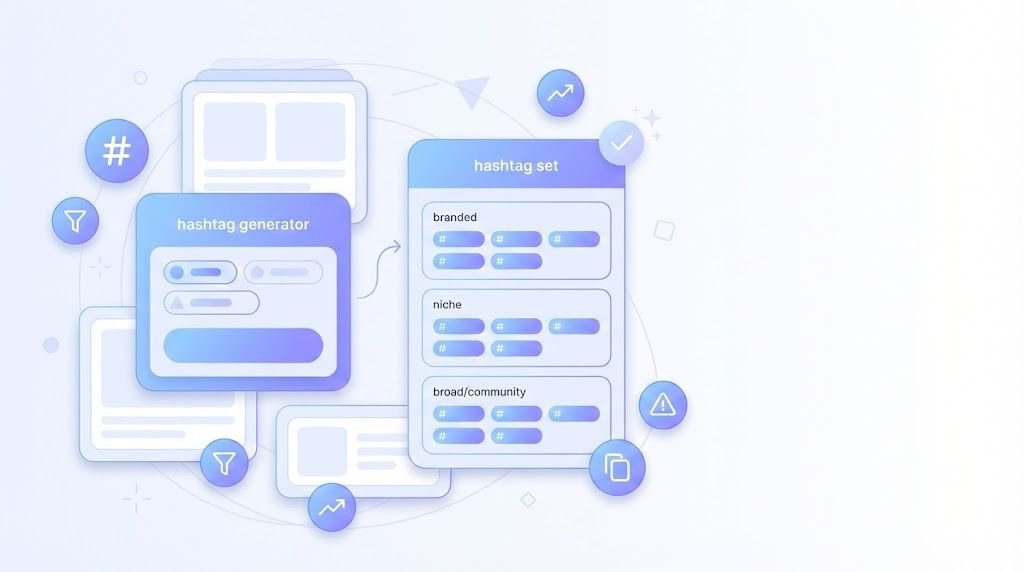
The Hashtag Generator helps you find relevant hashtags quickly without manual research.
Pro Tips for Maximum Results
Pro Tip 1: Start with 1 niche + 1 community + 1 location This basic formula works for most posts. Add 1-2 more hashtags as needed, but this core trio ensures relevance.
Pro Tip 2: Avoid banned or overused spam tags Some hashtags are shadowbanned or associated with spam.
Common culprits: #Follow4Follow, #LikeForLike, #InstaGood (sometimes flagged). When in doubt, search the hashtag first and check if it's being actively moderated.
Pro Tip 3: Rotate hashtag sets (A/B test) Don't use identical hashtags every time. Create 3-4 different sets for your niche and rotate them. Track which sets perform best.
Pro Tip 4: Match hashtags to actual post content If your post is about morning coffee, use coffee-related hashtags. Don't throw in random trending tags like #MondayMotivation unless it genuinely fits.
Pro Tip 5: Keep captions readable Integrate hashtags naturally into your caption when possible, or group them at the end with line breaks. Don't create walls of hashtags that make captions unreadable.
Example:
Just made homemade pasta for the first time! Recipe took 45 minutes start to finish.
#HomemadePasta #ItalianCooking #CookingFromScratch
Pro Tip 6: Save hashtag sets for reuse Create themed sets: "Food posts set A," "Travel posts set B," "Tutorial posts set C." This saves 10-15 minutes per post.
Pro Tip 7: Track what performs best Check your analytics weekly. Note which posts got best reach. Identify common hashtags in top performers. Use more of those, less of underperformers.
Pro Tip 8: Don't mix completely unrelated tags If you're posting fitness content, don't add #FoodBlogger hashtags just because they're popular. Mismatched hashtags hurt algorithmic understanding of your content.
Use the Word Counter to tighten your captions before adding hashtags, ensuring your core message is clear and engaging.
Ready-to-Use Hashtag Sets by Niche
Copy these proven hashtag sets and customize them for your content. Each set follows current best practices with 3-5 relevant tags.
Important reminder: Always verify these align with latest platform guidelines and adjust based on your specific content.
Small Business Marketing
Set 1: #SmallBusinessOwner #MarketingTips #EntrepreneurLife #LocalBusiness
Set 2: #SmallBizGrowth #DigitalMarketing #SupportLocal #BusinessStrategy
When to use: Posts about marketing strategies, business tips, entrepreneurship journey, local business promotion.
Fitness & Health
Set 1: #FitnessJourney #HealthyLifestyle #WorkoutMotivation #FitLife
Set 2: #HomeWorkouts #FitnessGoals #WellnessJourney #StrengthTraining
When to use: Workout videos, progress photos, fitness tips, healthy recipes, wellness content.
Food & Cooking
Set 1: #HomeCooking #RecipeIdeas #FoodFromScratch #CookingAtHome
Set 2: #QuickRecipes #MealPrep #ComfortFood #FoodPhotography
When to use: Recipe posts, cooking tutorials, meal prep content, restaurant reviews, food photography.
Travel & Adventure
Set 1: #TravelPhotography #Wanderlust #TravelTips #ExploreMore
Set 2: #TravelDiaries #AdventureTime #TravelInspiration #DiscoverTheWorld
When to use: Travel photos, destination guides, travel tips, adventure stories. Add location-specific hashtag (#ParisTravel) as 5th tag.
Education & Study
Set 1: #StudyTips #EducationMatters #LearningJourney #StudentLife
Set 2: #OnlineLearning #StudyMotivation #EducationalContent #KnowledgeSharing
When to use: Study tips, educational content, online courses, learning resources, student community posts.
Fashion & Style
Set 1: #FashionStyle #OutfitInspiration #StyleTips #FashionDaily
Set 2: #FashionTrends #OOTD #PersonalStyle #FashionCommunity
When to use: Outfit posts, fashion tips, style guides, trend analysis, wardrobe inspiration.
Tech & Development
Set 1: #TechTips #WebDevelopment #CodingLife #DeveloperCommunity
Set 2: #Programming #TechNews #SoftwareDevelopment #DevLife
When to use: Code tutorials, tech news, developer tips, product launches, tech reviews.
Real Estate
Set 1: #RealEstateTips #HomeBuying #PropertyInvestment #RealEstateAgent
Set 2: #HouseHunting #RealEstateMarket #PropertyForSale #RealEstateLife
When to use: Property listings, real estate tips, market updates, home tours. Add location tag (#NYCRealEstate) as 5th.
How to Adapt These Sets
Customization tips:
- Replace one hashtag with your branded tag
- Add a location tag if relevant to your business
- Swap tags based on specific post content (e.g., replace #HomeCooking with #VeganRecipes for plant-based content)
- Test different combinations and track performance
- Update sets quarterly as trending hashtags change
Create your own sets: Use these as templates. Replace 1-2 hashtags to match your specific niche within the broader category.
Browse additional content optimization tools in the social media category to complement your hashtag strategy.
3 Publishing Workflows That Drive Engagement
Combine hashtags with other optimization strategies for maximum impact. Here are three proven workflows.
Workflow A: Post a High-Performing Instagram Update
Total Time: 15-20 minutes (after content is ready)
The Complete Workflow:
- Prepare your image
- Resize to Instagram specs (1080x1080 for feed, 1080x1920 for Stories)
- Use Image Resizer for exact dimensions
- Ensure image is under 30MB
- Write your caption
- Hook in first line (most important, appears before "...more")
- Main content in 2-3 short paragraphs
- Use Word Counter to check caption length
- Target 125-150 words for engagement sweet spot
- Generate hashtags
- Use Hashtag Generator
- Select 3-5 relevant tags
- Mix niche + community + location tags
- Verify hashtags aren't shadowbanned (search them first)
- Format your post
- Add line breaks after caption
- Place hashtags at end, separated from main text
- Add call-to-action (save, share, comment)
- Schedule strategically
- Post during peak engagement times for your audience
- Use Time Zone Converter if targeting multiple regions
- Typical best times: weekdays 10am-3pm, weekends 11am-4pm (adjust for your data)
- Publish and engage
- Post to Instagram
- Reply to first 3 comments within 5 minutes
- Engage with similar content using your hashtags
- Image resized to 1080x1080
- Caption hook is compelling (first 125 characters)
- Caption is 125-150 words
- 3-5 relevant hashtags included
- Hashtags match post content
- Location tag added (if relevant)
- Posted during peak hours
- Ready to respond to comments quickly
Workflow C: Post a LinkedIn Update for Maximum Reach
Total Time: 12-18 minutes
The Complete Workflow:
- Write professional content
- Start with compelling first line
- Structure: Hook Value Call-to-action
- Target 150-300 words (sweet spot for LinkedIn)
- Use Word Counter to verify
- Add visual if appropriate
- Resize image to 1200x627 with Image Resizer
- Or create document/carousel post
- LinkedIn posts with images get 2x engagement
- Select professional hashtags
- Use Hashtag Generator
- Choose 3-5 professional hashtags
- Mix industry tags + skill tags + topic tags
- Examples: #DigitalMarketing #ContentStrategy #B2BMarketing
- Avoid casual or overly trendy hashtags
- Optimize post format
- Break text into short paragraphs (2-3 lines each)
- Add line breaks for readability
- Bold key phrases if appropriate (use bold syntax)
- Place hashtags naturally at end
- Timing and targeting
- Post Tuesday-Thursday, 8am-2pm for best reach
- Use Time Zone Converter for international audience
- Tag relevant people or companies (sparingly)
- Engage strategically
- Reply to every comment within first 2 hours
- Reshare to LinkedIn Stories
- Engage with similar posts using your hashtags
- Content is 150-300 words
- First line grabs attention
- Professional tone maintained
- 3-5 industry-relevant hashtags
- Image resized to 1200x627 (if using visual)
- Text broken into readable paragraphs
- Posted during weekday business hours
- Tagged relevant connections (if appropriate)
- Ready to engage with commenters
Security tip: Keep all your social accounts secure with strong passwords from the Password Generator.
Common Hashtag Mistakes and Fixes
Even experienced creators make these mistakes. Here's how to avoid them.
| Mistake | Why It Hurts | The Fix |
|---|---|---|
| Hashtag stuffing (using 20-30 tags) | Modern algorithms penalize this. Makes you look desperate. Reduces engagement rates. | Use 3-5 highly relevant tags. Quality beats quantity. Test and track what works for your audience. |
| Using irrelevant trending tags | Attracts wrong audience. Algorithms detect mismatch. Can get you shadowbanned. | Only use trending tags if your content genuinely relates. Don't force #MondayMotivation on unrelated posts. |
| Repeating same tags forever | Platforms may flag as spam behavior. Limits discovery to same small audience. Misses new opportunities. | Create 3-4 hashtag sets. Rotate them. Update quarterly based on performance data. |
| Using only broad, generic tags (#Love, #InstaGood, #PhotoOfTheDay) | Massive competition. Post buried instantly. Attracts bots and spam accounts, not real followers. | Replace generic tags with niche-specific ones. #VeganBaking beats #Food every time. |
| Ignoring location tags (when relevant) | Misses local discovery. Location tags are highly effective for local businesses and events. | Add 1 location hashtag if you're location-dependent. Examples: #BrooklynCafe #AustinEvents #LondonFitness |
| Hiding main keywords in hashtags instead of caption | Platforms prioritize caption keywords over hashtags. You're weakening your main discovery path. | Put important keywords in caption text naturally. Use hashtags as supplementary categorization. |
| Not tracking performance | You repeat underperforming strategies. Waste time on hashtags that don't work. Miss opportunities to improve. | Check analytics weekly. Note top-performing posts. Identify their common hashtags. Use those more, test new ones less. |
| Using banned or shadowbanned hashtags | Your post won't appear in hashtag searches. Reduces reach dramatically without warning. | Search hashtag before using. If recent posts look spammy or top posts are months old, avoid it. |
| Mixing languages in hashtags | Confuses algorithm. Splits your audience. Neither language community sees your full content. | Stick to one language per post. If targeting bilingual audience, create separate posts for each language. |
| Copying competitor hashtags blindly | What works for 100K account doesn't work for 1K account. Their audience differs from yours. | Study competitors for ideas, but customize hashtags to your specific content and current audience size. |
Quick Self-Check Before Posting
Ask yourself these 4 questions:
- Does every hashtag directly relate to this specific post? If you have to think about the connection, remove it.
- Would someone searching this hashtag want to see my content? Put yourself in the searcher's shoes. Be honest.
- Am I using fewer than 6 hashtags? 3-5 is the current sweet spot for most platforms.
- Have I used this exact set on my last 3 posts? If yes, rotate to a different set.
If you answer "no" to any question, revise before posting.
For more social media optimization strategies, explore the complete social media tools collection.
Frequently Asked Questions
Current best practices by platform:
Instagram: 3-5 relevant hashtags
TikTok: 3-5 hashtags
LinkedIn: 3-5 professional hashtags
X/Twitter: 1-2 hashtags maximum
YouTube: 3-5 in description
Pinterest: 2-5 hashtags
Facebook: 1-3 or none
The old advice (use 30 hashtags on Instagram) no longer works. Modern algorithms favor relevance over volume.
Always verify latest platform guidelines as these recommendations evolve with algorithm updates.
Yes, but only when used correctly.
What works:
- 3-5 relevant, niche-specific hashtags matched to content
- Mix of medium-sized hashtags (50K-500K posts)
- Consistent use on quality content
What doesn't work:
- 20-30 generic hashtags
- Popular hashtags with 10M+ posts (too competitive)
- Hashtags unrelated to post content
Real impact: Posts with optimized hashtags can see 20-50% more reach compared to no hashtags. But poor hashtag strategy can actually hurt reach by confusing algorithms.
The truth: Hashtags are one factor among many. Great content + smart hashtags + consistent posting + audience engagement = real growth. Hashtags alone won't save mediocre content.
Platforms don't publish official lists, but commonly problematic hashtags include:
Engagement bait tags:
- #Follow4Follow, #Like4Like, #FollowBack
- #InstaFollow, #FollowTrain
- Any variation of "follow/like exchange" tags
Overly generic spam magnets:
- Sometimes #InstaGood, #Instagood (flagged on some accounts)
- #LikeForLike, #TBT (overused, associated with spam)
Adult or suggestive content tags (even innocent uses can trigger filters)
How to check if a hashtag is safe:
- Search the hashtag on the platform
- Check if recent posts appear (within last hour)
- Look at top posts - if they're months old, tag may be limited
- If you see "Recent posts from this hashtag are hidden" message, it's shadowbanned
Best practice: Stick to niche, content-specific hashtags and avoid anything that screams "engagement bait."
Current recommendation: Caption
Why caption is better:
- Instagram confirmed hashtags work the same in captions and comments
- Caption hashtags are immediately indexed
- First comment can get buried by other comments
- Keeps everything in one place
- Looks more professional
Exception: If you want a very clean visual aesthetic and prefer hiding hashtags, first comment still works. But there's no algorithmic advantage anymore.
Best of both approaches: Place hashtags at end of caption with line breaks:
Great caption about your content here.
Telling a story, sharing value.
.
.
.
#RelevantHashtag #AnotherTag #NicheTag
The line breaks create visual separation without requiring a separate comment.
No, you shouldn't use identical hashtags every single time.
Why rotation matters:
- Platforms may flag repetitive hashtag patterns as spam
- You limit yourself to the same audience
- Different content deserves different categorization
- Testing new hashtags helps you discover better-performing ones
Smart approach:
- Create 3-4 hashtag sets for your niche
- Rotate sets across posts
- Keep 1-2 core hashtags (like your branded tag)
- Replace 60-80% of hashtags each post
- Update entire sets quarterly based on performance
Example rotation for food blogger:
Post 1: #HomeCooking #QuickRecipes #MealPrep #FoodPhotography
Post 2: #CookingAtHome #HealthyEating #RecipeIdeas #ComfortFood
Post 3: #FromScratch #DinnerIdeas #FoodFromScratch #CookingTips
Post 4: Back to Post 1 set
Frequently Asked Questions
Instagram treats them similarly, but there are nuances:
Reels-specific considerations:
- Reels reach is more dependent on content quality than hashtags
- Use hashtags that describe the content/topic, not just "#Reels"
- Avoid #Reels or #InstagramReels (too generic, no targeting value)
- Focus on niche hashtags that describe what the Reel teaches or shows
Feed posts:
- Hashtags have slightly more impact on initial reach
- Better for community building and niche targeting
- Location tags more important for feed posts
Best practice for both: Use 3-5 content-specific hashtags regardless of format. Don't obsess over format differences.
Manual research method:
- Identify 5-10 accounts in your niche with strong engagement
- Look at their last 10-15 posts
- Note which hashtags appear frequently
- Check the size of those hashtags (post count)
- Test similar but slightly different variations
- Hashtags they use repeatedly (suggests they work)
- Mix of sizes (not all huge, not all tiny)
- Niche-specific tags, not generic ones
- Community hashtags for your industry
Don't copy blindly: Large accounts can succeed with broader hashtags because they have existing reach. Smaller accounts need more targeted, niche hashtags to stand out.
Yes, if you're building a business or personal brand.
Benefits of branded hashtags:
- Creates searchable archive of all your content
- Encourages user-generated content
- Builds community identity
- Tracks mentions and brand reach
- Professional appearance
How to create effective branded hashtags:
- Keep it short and memorable
- Make it unique (search first to ensure it's not taken)
- Include it consistently on every post
- Encourage followers to use it
- Feature user content that uses your tag
Examples of good branded hashtag patterns:
- #YourBusinessName
- #YourNameCreates
- #YourBrandCommunity
- #YourProductLine
Realistic expectations: Your branded hashtag won't drive discovery initially. Its value grows as your brand grows. Think of it as long-term infrastructure, not immediate growth tactic.
Quarterly review recommended: Every 3 months, analyze performance and adjust strategy.
What to check:
- Which hashtags appeared on your top 10 posts?
- Are any hashtags consistently underperforming?
- Have any new trending hashtags emerged in your niche?
- Has platform guidance changed?
Minor updates weekly:
- Test 1-2 new hashtags per week
- Remove hashtags that get zero engagement
- Add trending tags when genuinely relevant
Major update triggers:
- Platform algorithm change announced
- Your niche/industry shifts
- You pivot content strategy
- You notice sudden drop in hashtag reach
Track in simple spreadsheet:
Column 1: Hashtag
Column 2: Times used
Column 3: Average reach when used
Column 4: Keep/Test/Remove decision
This data-driven approach beats guessing.
For more content creation tools and guides, visit the ToolPoint blog.