
You've stared at that "Choose a username" screen for 20 minutes. Everything good is taken. The random suggestions look like keyboard smashes. And you know whatever you pick now, you'll see in search results forever.
Picking a username shouldn't be this hard. A good handle is memorable, available across platforms, and won't make you cringe in six months. Whether you're launching a gaming channel, building a creator brand, or just need something better than "user47392," you need a repeatable method--not just luck.
This guide shows you exactly how to generate username ideas that work, understand platform rules before you commit, and avoid the mistakes that force rebrands later. Plus, we'll walk through ToolPoint's Username Generator settings so you can create options in seconds instead of hours.
Ready to find your handle? Let's generate something you'll actually want to use.
What makes a username "good" (and why most fail)
Most usernames fail because people optimize for "available right now" instead of "still good in two years." Here are the six traits that separate handles you'll keep from ones you'll regret:
- 1. Memorable: Can someone hear it once and find you later? "PixelSmith" beats "xXPixel_Smith2847Xx."
- 2. Spellable: If you say it out loud, can people type it correctly? Avoid creative spellings like "Kreativ" unless that's your brand.
- 3. Short: Aim for 6-12 characters when possible. Shorter handles fit better in bios, comments, and casual mentions. Use the Character Counter to check length before committing.
- 4. Consistent: The same handle across X, Instagram, TikTok, and YouTube builds recognition. Mixed handles confuse your audience.
- 5. Scalable: Will this handle work if your content evolves? "FortnitePro2024" locks you into one game and year. "StrategyGamer" gives you room to grow.
- 6. Not cringe later: Avoid dated references, excessive punctuation, or inside jokes only you understand. "DabMaster420" seemed funny once.
Pro Tip #1: Test your username with the "grandmother test." If you can't comfortably tell your grandmother your handle, reconsider it. This filters out cringe before it's permanent.
Pro Tip #2: Say your username out loud three times. If you stumble, others will too. Tongue twisters don't build brands.
Handle vs display name vs brand name
Platforms give you multiple identity fields, and mixing them up causes confusion. Here's what each one means:
Table 1: Handle vs Display Name vs Brand Name
| Type | Where it shows | Must be unique? | Best practice | Example |
|---|---|---|---|---|
| Handle | Profile URL, @mentions, username field | Yes (platform-wide) | Keep it short, consistent across platforms | @pixelsmith |
| Display Name | Profile header, posts, comments | No (can duplicate others) | Use full name or brand, can include spaces/emoji | Pixel Smith |
| Brand Name | Formal business contexts, legal docs | Depends on trademark | Professional version of your identity | Pixel Smith Studios |
Key insight: Your handle is your technical identifier (URL-safe, unique). Your display name is your presentation (human-friendly, flexible). Don't waste your handle trying to be clever with special characters that don't work in URLs.
TikTok's dual system: TikTok specifically separates username (your @handle in profile links) from nickname (your display name, up to 30 characters according to TikTok Support). This lets you have a clean, short @username while showing a more descriptive nickname to viewers.
If you're building a business brand, consider generating a professional name with the Business Name Generator first, then derive your social handle from it.
Platform rules you should know before choosing
Platform rules change frequently as features evolve. Always verify current limits inside each app before finalizing your username. Here's a snapshot of commonly reported rules:
Table 2: Platform Rules Snapshot (verify in-app)
| Platform | Typical handle length | Allowed characters (high level) | Notes |
|---|---|---|---|
| X (Twitter) | Max 15 characters | Letters, numbers, underscore (no spaces) | Official X Help Center confirms 15-char limit; no periods or hyphens |
| TikTok | Commonly up to 24 chars | Letters, numbers, underscores, periods | Username is part of profile link; nickname (display name) separate, up to 30 chars per TikTok Support |
| Commonly up to 30 chars | Letters, numbers, periods, underscores | Verify in-app; no spaces allowed | |
| YouTube | Commonly up to 30 chars | Letters, numbers, most special chars | Tied to Google account; check current handle policies |
| Twitch | Commonly 4-25 chars | Letters, numbers, underscores | Gaming-focused; verify current requirements |
| Discord | Commonly up to 32 chars | Letters, numbers, underscores, periods | Display names separate from unique Discord tags |
Critical reminder: These limits are commonly reported but platforms update policies regularly. Before you commit to a username, open each app's account settings and check the current character restrictions. What works today might have different rules tomorrow.
Pro tip: Use the Twitter Character Counter to verify your username fits X's 15-character limit before trying to register it.
The simplest way to generate usernames (ToolPoint workflow)
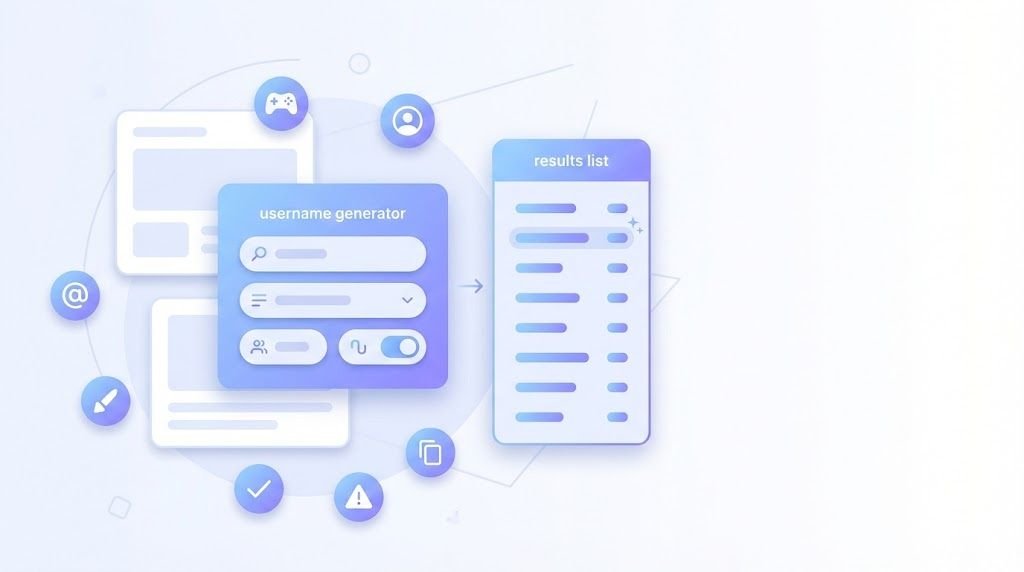
Stop manually brainstorming. ToolPoint's Username Generator creates options instantly with settings that match your needs. Here's the step-by-step workflow:
Step-by-Step Instructions
- Open **ToolPoint's Username Generator** in your browser (no installation, completely free).
- Enter a keyword (optional) in the "Keyword" field--this becomes part of your generated usernames. Use words related to your niche, content type, or personality trait.
- Set "Number of Usernames" to generate multiple options at once. Start with 10-20 to see variety.
- Adjust "Maximum Length: 12" based on your target platforms. If you're primarily on X (15-char limit), set it to 12-13 to leave room for variations.
- Toggle "Word-based Usernames" ON if you want readable dictionary words instead of random character combinations. Word-based handles are more memorable.
- Toggle "Include Numbers" based on your brand strategy (covered in examples below).
- Click "Generate Usernames" and review your options instantly.
- Copy promising handles to a notepad for availability checking across platforms.
- Refine your keyword and regenerate if needed--experiment with different word combinations using the Random Word Generator for inspiration.
- Validate length on target platforms using the Character Counter before committing.
Example Setups for Different Use Cases
Example A: Gaming Channel
Keyword: "pixel" or "storm" or your favorite game mechanic
Maximum Length: 12
Word-based: ON
Include Numbers: Optional (toggle both ways to see options)
Sample outputs: PixelHunter, StormRift, PixelVault
Example B: Creator Brand (Lifestyle/Tech)
Keyword: your niche (e.g., "tech", "style", "learn")
Maximum Length: 10 (shorter = cleaner)
Word-based: ON
Include Numbers: OFF (numbers dilute brand feel)
Sample outputs: TechFlow, StyleCraft, LearnDaily
Example C: Business/Professional
Keyword: your service or industry
Maximum Length: 12
Word-based: ON
Include Numbers: OFF (keep it scalable)
Sample outputs: DesignHub, CodeForge, DataPath
Pro tip: After generating username options, create matching social graphics with consistent branding using the Image Resizer to maintain professional profiles across platforms.
Username formulas that rarely miss
Instead of random guessing, use proven formulas. Here are patterns that consistently produce available, memorable handles:
Table 3: Username Formulas That Work
| Formula | Why it works | Example handles | Best for |
|---|---|---|---|
| [Keyword] + [Trait] | Descriptive + memorable | PixelSmith, CodeCraft, ArtBold, DataWise, GameFlow | Creators, developers, gamers |
| [Verb] + [Noun] | Action-oriented, dynamic | BuildDaily, LearnFast, CreateNow, StreamPro, DesignMode | Coaches, educators, productivity |
| [Noun] + [Noun] | Concrete imagery | StormVault, PixelForge, WaveStudios, NeonPath, EchoLabs | Brands, agencies, studios |
| [Initials] + [Keyword] | Personal + niche | JKDesigns, AMTech, RLCoding, SJGaming, TFCreates | Personal brands, consultants |
| [Keyword] + [Location/Niche] | Context-specific | TechBerlin, StyleLA, CodeAustin, ArtLondon, GameTokyo | Local businesses, regional creators |
How to use these formulas:
- Pick a formula that matches your brand type
- Plug in your keywords
- Generate 5-10 variations
- Check availability across platforms
- Test pronunciation (say it out loud)
Warning: Avoid using trademarked terms, celebrity names, or brand names in your username. Stick to generic, descriptive words that you can legitimately claim as your own identity.
Want more keyword inspiration? Use the Random Word Generator to discover unexpected combinations that spark creative username ideas.
Availability & consistency checklist (fast method)
Found a username you like? Don't commit until you've checked availability everywhere you plan to build presence. Here's the 30-second checklist:
The 30-Second Availability Check
- Google your potential username (in quotes: "yourusername") to see what exists
- Check X (Twitter) by visiting x.com/yourusername (shows taken/available)
- Check Instagram via instagram.com/yourusername
- Check TikTok via tiktok.com/@yourusername
- Check YouTube by searching handles in YouTube Studio if logged in
- Check domain availability if you plan a website (.com preferred)
- Verify character count with Character Counter for each platform's limits
- Double-check X specifically with Twitter Character Counter (15-char max)
- Reserve the handle immediately on your top 3 platforms even if you're not active yet
Why consistency matters: If you're @PixelSmith on X but @Pixel_Smith_Gaming on Instagram and @PixelSmith2024 on TikTok, your audience can't find you. Pick one handle and lock it down everywhere.
Pro tip: If your ideal username is taken on one platform, don't add random numbers. Choose a variation that works universally (PixelSmithHQ, ThePixelSmith, PixelSmithStudio) so all your handles stay recognizable.
Common mistakes
Here are the username pitfalls that force rebrands, hurt discoverability, or just look unprofessional:
Table 4: Common Mistakes Impact Fix
| Mistake | Impact | Fix |
|---|---|---|
| Too many underscores/tools/numbers | Looks spammy, hard to remember, unprofessional | Use max one underscore or number if absolutely necessary |
| Hard-to-spell handles | People can't find you when they search | Test pronunciation; avoid creative spellings like "Kreativ" |
| Inside jokes that don't scale | Meaningless to new audience, cringe later | Choose handles that make sense without context |
| Copying competitors | Confuses audience, legal risk, no originality | Create unique identity with Username Generator |
| Changing handles too often | Breaks backlinks, confuses followers, resets SEO | Choose carefully upfront; commit for at least 1-2 years |
| Using ambiguous characters (l/I/1) | Typosquatting risk, confusion in verbal mentions | Avoid lowercase L, uppercase i, and number 1 together |
| Adding "official" when not needed | Implies there are fake accounts, adds unnecessary length | Save "official" for truly ambiguous cases |
| Names that violate guidelines | Account suspension, forced rename | Review each platform's username policies before committing |
| Mixing cases inconsistently | Looks unprofessional across platforms | Use lowercase everywhere or capitalize consistently |
| Choosing handle too narrow for future content | Limits growth, forces rebrand when pivoting | Pick niche-adjacent, not niche-specific handles |
| Forgetting to reserve matching names across platforms | Fragmented brand, someone else takes your handle | Register on all major platforms within 24 hours |
| Pasting with hidden spaces | Registration errors, format issues | Use Remove Extra Spaces before submitting |
Most expensive mistake: Choosing a handle without checking if the domain is available, then needing to rebrand when you want a website. Check domain availability early, even if you don't need a site immediately.
Mini workflows
Here are three complete workflows combining ToolPoint tools for common username-related tasks:
Workflow A: New Creator Identity in 15 Minutes
Building a creator brand from scratch? Follow this checklist:
- Generate 20 username options with Username Generator
- Narrow to top 3 based on availability across X, Instagram, TikTok
- Create content hashtags with Hashtag Generator to test discoverability
- Design social metadata with OG Meta Generator for shareable links
- Reserve your chosen username on all platforms within 24 hours
- Document your handle in a secure note (with recovery email/phone)
Workflow B: YouTube Channel Starter Pack
Launching a YouTube channel? This workflow covers username through optimization:
- Generate channel name options with Username Generator
- Draft video titles/descriptions with YouTube Title Description Generator
- Count hashtags for video metadata with Hashtag Counter
- Verify all text fits character limits before publishing
- Cross-promote on other platforms with matching @username
FAQ
Use the Username Generator with your keyword to create 20+ variations, then check availability across X, Instagram, and TikTok by visiting platform.com/@yourusername. Pick one that's available everywhere and reserve it immediately.
A username (handle) is your unique @identifier used in URLs and mentions--it must be platform-unique. A display name is how you appear in profiles and posts--it can include spaces, emoji, and duplicate others. Your username is technical; your display name is presentational.
X (formerly Twitter) allows maximum 15 characters for usernames, using letters, numbers, and underscores only (no spaces). This is confirmed by the official X Help Center. Use the Twitter Character Counter to verify your username fits before attempting to register.
Avoid numbers unless they're meaningful to your brand (e.g., "Studio21" for a business established in 2021). Random numbers like "gamer4829" look unprofessional and are hard to remember. If your preferred username is taken, try variations like "TheUsername" or "UsernameHQ" instead of adding digits.
Choose a username short enough to work on the most restrictive platform (X's 15 characters). Check availability on X, Instagram, TikTok, and YouTube simultaneously before committing. Register your handle on all platforms within 24 hours to prevent someone else claiming it.
Try these variations: add "The" prefix, append your niche ("UsernameTech"), add "HQ" or "Studio," or use a related word formula from Table 3. Don't add random numbers--maintain professionalism. Use Username Generator to explore alternative keywords.
Most platforms limit usernames to letters, numbers, underscores, and periods. Avoid hyphens, spaces, and emoji in handles (save those for display names). Always verify each platform's current rules inside their app settings before finalizing your choice.
Technically you can change it when allowed by each platform, but frequent changes hurt your brand. Changing breaks backlinks, confuses followers, and resets search discoverability. Choose carefully upfront and commit for at least 1-2 years unless absolutely necessary.
If possible, yes--consistency builds recognition. If your business name is too long or taken, use a shortened version or derivative that clearly connects. For example, "Pixel Smith Studios" could be "@PixelSmithHQ" or "@PixelStudio" if the full name isn't available.
Brandable usernames are: short (6-12 chars), memorable, pronounceable, spellable, and not tied to trends/dates. They often use word formulas like "Noun+Noun" (StormVault) or "Adjective+Noun" (SwiftDesign). Generate brandable options with Username Generator using the word-based setting.
Conclusion
Your username is more than a login--it's the foundation of your online identity. Spend 15 minutes now choosing something memorable, available, and scalable, and you'll avoid the headache of forced rebrands later.
The winning formula: use ToolPoint's Username Generator to create options based on proven formulas, verify availability across platforms, and reserve your handle everywhere within 24 hours. Keep it short, spellable, and consistent.
Key takeaways:
- X allows max 15 characters; TikTok separates username from nickname (30-char display name)
- Word-based formulas like [Keyword]+[Trait] outperform random character combinations
- Reserve your username on all platforms immediately to maintain consistency
- Avoid numbers and excessive underscores unless they're core to your brand
- Verify current platform rules in-app--limits change over time
Ready to find your handle? Head to ToolPoint's Username Generator and generate options now. It's free, instant, and requires no signup.
Explore More Tools
- Browse all Random Generators for business names, words, and more creative options
- Generate hashtags with Hashtag Generator to boost discoverability
- Create compelling titles with YouTube Title Description Generator
- Optimize social metadata with OG Meta Generator
- Check out Popular tools or browse all Categories
Bookmark ToolPoint for all your content creation needs--no downloads, no signups, just tools that work instantly in your browser.